Artificial intelligence has become one of the most active areas of study in recent years, with new and more powerful models appearing every year, sometimes every couple of months! There are a couple of reasons for this. The increment in the amount of data that has been digitalized, and the capacity for anyone to gather it. Then there is the increase in processing power and development of new hardware architectures that are optimized for matrix calculations (GPUs, TPUs and the sort...). Finally, there is the implementation of new techniques in the development of AI algorithms and the development of competitive benchmarks that placed people's talents into the same "virtual" room where the brainstorm happens. And now, big companies from around the world have joined the race, adding an amount of funding to some projects in AI that could be enough to provide electricity to a small country for an entire year. We can confidently say we've never been closer to see the benefits of an intuitive AI, but also the dangers it poses to deeply unbalance our capacity to self regulate the affairs of our own civilization (some would argue on the existence of such capacity anyways)... AI has and will continue reshaping the way we understand our world, and for better or worse, is the next stage in cognitive evolution.
But what is Artificial Intelligence? AI is an area of research rather than a single specific algorithm, or even group of algorithms. Its focus is to give a machine (an otherwise precise, logic and rigid entity) the capacity to resolve problems that require intuition beyond calculation. Here we will expand the definition to take a biological scope rather than human as the target intuition. A good example is finding the contours of the white shapes in the following image:
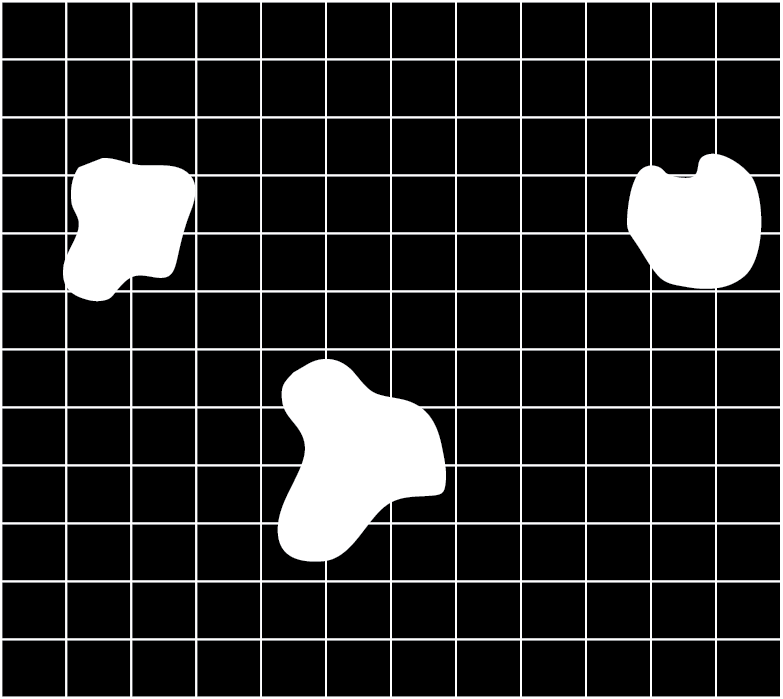
Ourselves, other mammals, birds (especially birds) and even some spiders can see the image above and quickly (in less than half a second) identify there are three "somethings". These creatures must have this capacity because historically, those who didn't died at the hands of predators or unfortunate events. But for a computer, this task is (or better said, used to be) a hard problem.
If our brains (and other animals' brains) are so good at this task, why do we need computers to do it in the first place? Many people nowadays use a special subarea of AI called machine learning in situations where training a model saves time and/or money. For example, when you have to look and count how many white objects are in an image, and you have millions of images, you use this form of AI. A human can do it, no problem, but who wants to?
Another main application comes from the capacity that machine learning has in identifying objects with an accuracy that is higher to most biological systems. For example, identifying whether the white shape in the figure below is one circle, or there is a second circle sitting on top:
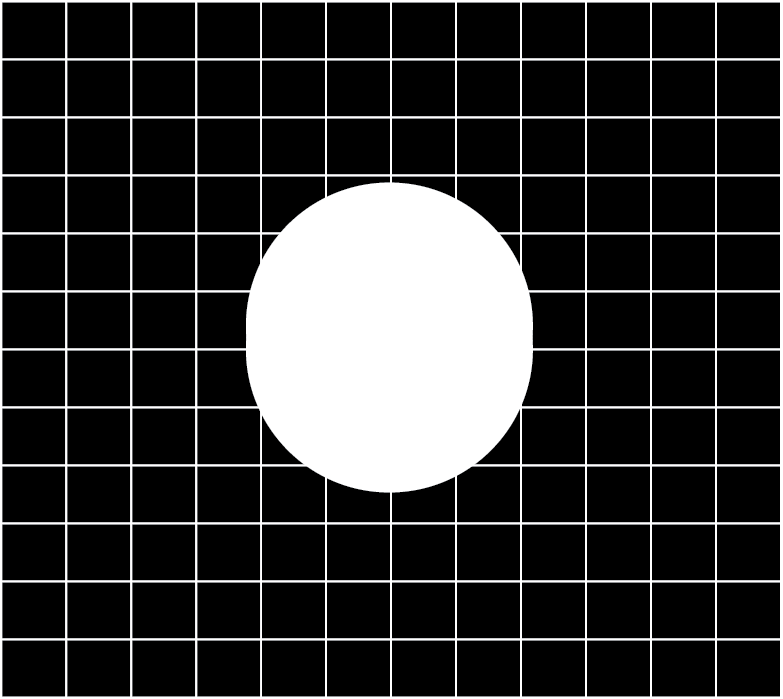
To solve this particular problem, the model may benefit from looking at millions of images displaying different yet similar cases of the same problem, from the easy ones to the really hard ones.
Reinforcement Learning
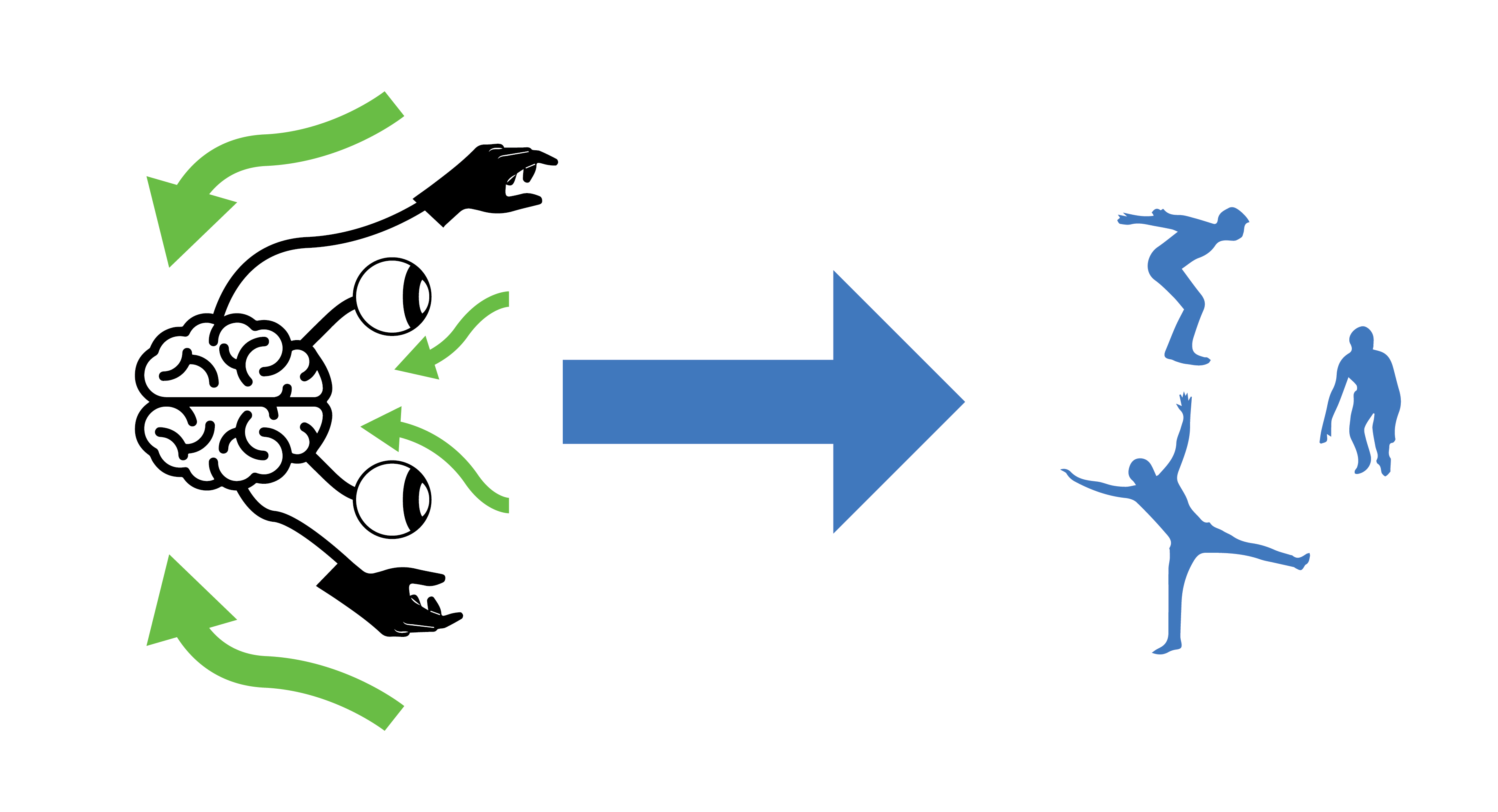
Reinforcement Learning is a subarea of Machine Learning focused on creating a synthetic object, called an agent, capable of receiving inputs, process the inputs, and producing an output that changes its environment in some way with the intention of having a reward, while avoiding penalties. If you get a sense of familiarity to this process you're not alone. We biological organisms also learn from our environments with the intention of arriving to techniques or behaviors that maximize our rewards and reduce penalties. Sometimes we do things that are not socially acceptable in our environment or causes us harm, and we quickly learn not to do them again. The capacity of an agent (including biological agents like us) to learn and adapt is connected to the complexity and type of brain architecture it has.
Getting started
Games are a type of simulation that nicely integrates objects of differenty types, often having an object as the main character and controlled by a person who is in charge of making decisions that benefit the character in the game. In other words, the character is borrowing your brain to know what to do. But what if we could give the character its own synthetic brain? Let's begin with a simple example from the layout, made in rlpp_designer. If you're unsure on how to access the designer, I invite you to revisit Chapter 2 for an introduction, and Chapter 1 for the installation.
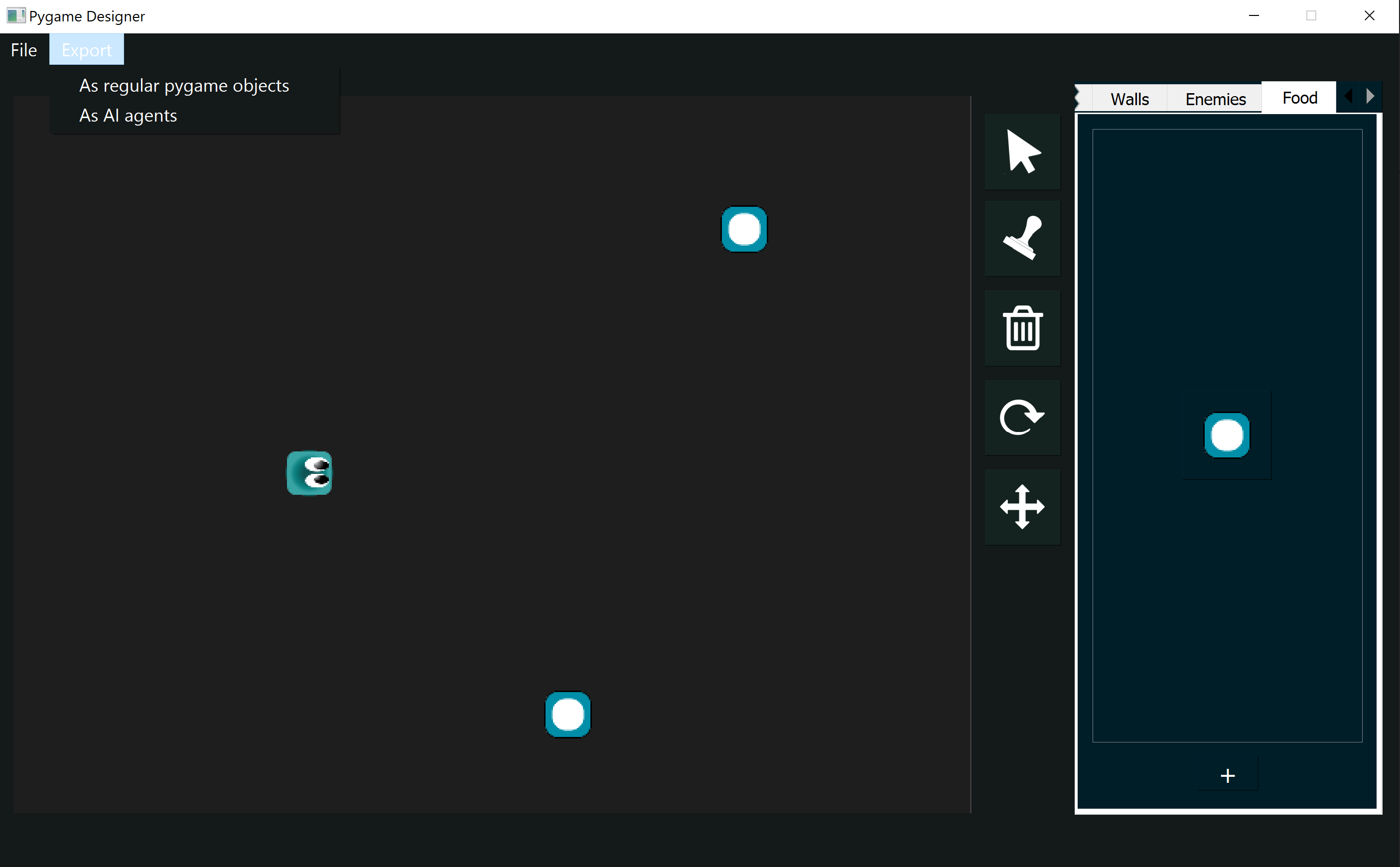
We keep things simple for our first game using reinforcement learning. Let's export the layout using the option "As AI agents" located below the Export tab, making sure to save the file in our working directory. Same as detailed in Chapter 2, the designer will save the images used in the creation of the Pygame layout along with a config.json file.
Once our project is saved, let's create a new script processing_metadata_rl.py. The name of this script is not important, but must contain the following code:
                from rlpp.rl_processor import map_json
                map_json("./config.json")
- rl_output.py
- Model.py
Understanding rl_output
If you had the opportunity to follow the chapters 2 through 4, the structure of the code in the file rl_output.py may result familiar. The heart of the program is still the Game Manager, which is a special class object that controls the interaction between our game objects, while also containing all the game objects in the game. However, in comparison with the output of a regular Pygame file, this time the Game Manager has additional methods that enable it to train agents using neural networks. Also, the Game Manager now encapsulates the draw and update function of the program as well. Take a look at the algorithm (without the code) happening inside the update() function of the Game Manager.
        class GameManager():
            def __init__(self):
                ...

            def reset(self):
                ...

            def draw(self):
                ...

            def update(self):
                ...
                for every agent in the game:
                    get information on the agent's environment
                    use this information as input to ask the agent to make a move
                    apply the move and get (again) the information on the agent's environment
                    train short memory
                    add results to memory

                Look at how many agents remain alive
                if the game is out of agents reset the game and train long memory for every agent
The GameObject class, which represents the base class that defines the attributes that all game objects in the game will have in common, remains mostly the same. The main change to a standard Pygame implementation is in the child class Agent.
        class Agent(GameObject):
            def __init__(self, position, angle, object_type, img_path, scale_factor):
                super().__init__(position, angle, "agent", img_path, scale_factor)
                self.n_games = 0
                self.epsilon = 0 # randomness
                self.gamma = 0.96 # discount rate
                self.memory = deque(maxlen=MAX_MEMORY) # popleft()
                self.model = Linear_QNet(WORLD_STATES, 256, ACTION_STATES)
                self.trainer = QTrainer(self.model, lr=LR, gamma=self.gamma)

            def reset(self):
                ...


            def get_state(self):
                ...
                return np.array(state, dtype=float)

            def remember(self, state, action, reward, next_state, done):
                ...

            def train_long_memory(self):
                ...

            def train_short_memory(self, state, action, reward, next_state, done):
                ...

            def get_action(self, state):
                ...
                return actionIdx

            def play_step(self,action):
                ...
                return reward, self.isDead, score
Something important to notice about the attributes of the Agent class is that we specify now a model and a trainer. These elements will represent the synthetic brain of our agent.
Where to begin..
The template is designed to allow the user to focus on helping the agent understand its environment. We want to make the agent use its brain to make a move, then calculate the quality of the agent's move based on the environment, and use this information to train the model. Behind the scenes we use a simple convolutional neural network, that takes as input information about the environment and returns a move from the agent. You can check the Model.py file if you want to see its structure.
In our game, our gameplay is represented by the following interactions:
- Interaction agent walls
- Interaction agent food
            def play_step(self,action):
                # interaction agent walls
                # interaction agent food
                reward = 0
                score = 0
                return reward, self.isDead, score
The action play_step is equivalent to update() for the agent, but we call it play_step because of its context to the Game Manager. Our method play_step() seems to expect an action. But how do we connect the output of a neural network to a specific action? We need to use one-hot vector encoding!
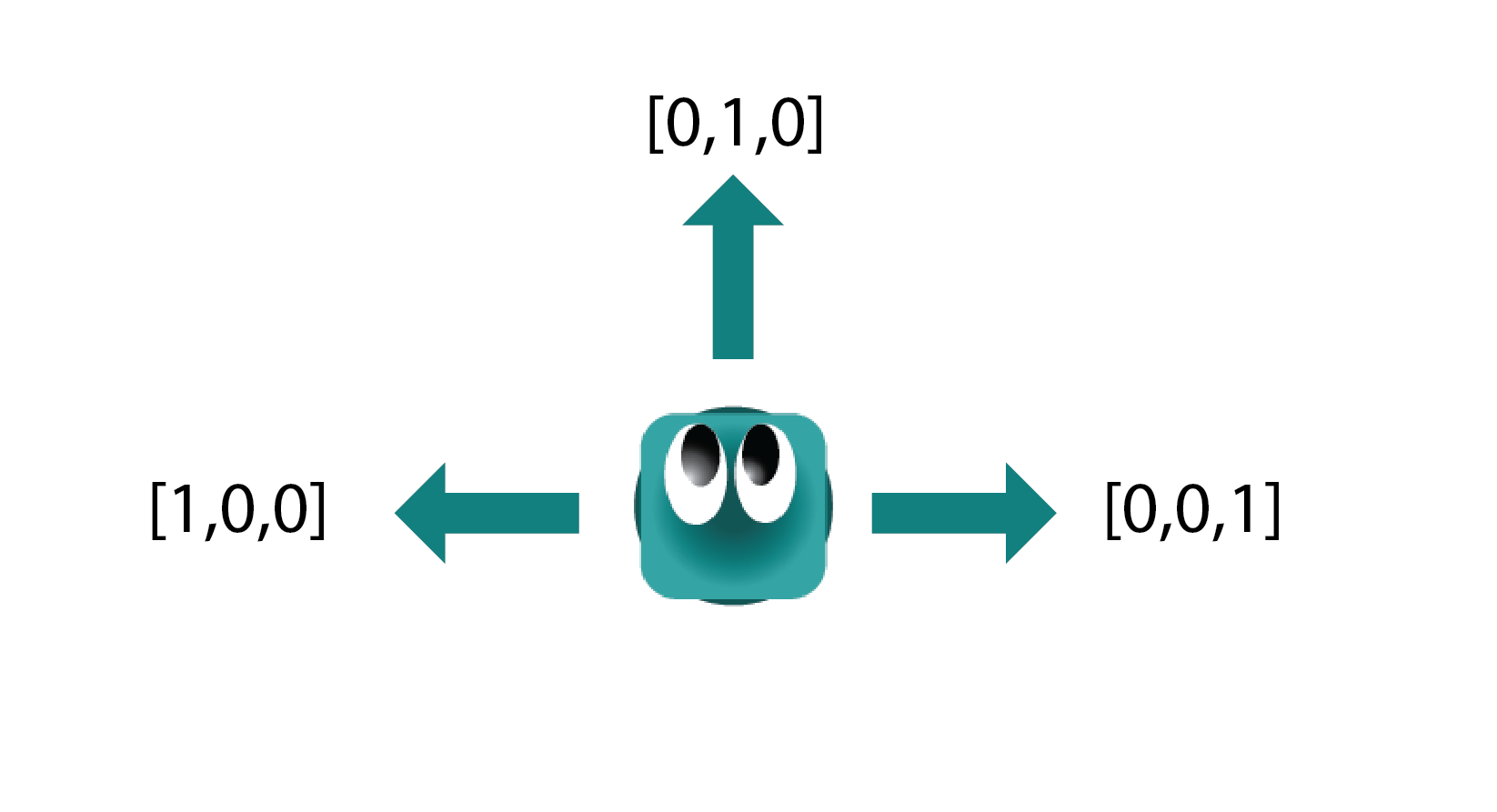
The brain of our agent will produce a list of three elements every time, where only one of those elements is 1, and the rest 0. The information this list represents can be seen in the figure above. For example:
- [1,0,0] will turn the agent to its left. If the agent is going EAST, its new direction will be NORTH
- [0,1,0] will move the agent forward. If the agent is going EAST, its new direction will be EAST
- [0,0,1] will turn the agent to its right. If the agent is going EAST, its new direction will be SOUTH
To let our neural network know we want it to give us back a list with three elements, we modify the constant parameter ACTION_STATES. The value is already set to 3 by default.
Next, let's explore how our action can affect the agent.
Mapping the action
Add a new variable index_cardinal_direction to reset(), located inside the Agent class:
        class Agent(GameObject):
            def __init__(self, position, angle, object_type, img_path, scale_factor):
                ...

            def reset(self):
                super().reset()
                self.isDead = False
                self.index_cardinal_direction = 0
- 0 for EAST
- 1 for SOUTH
- 2 for WEST
- 3 for NORTH
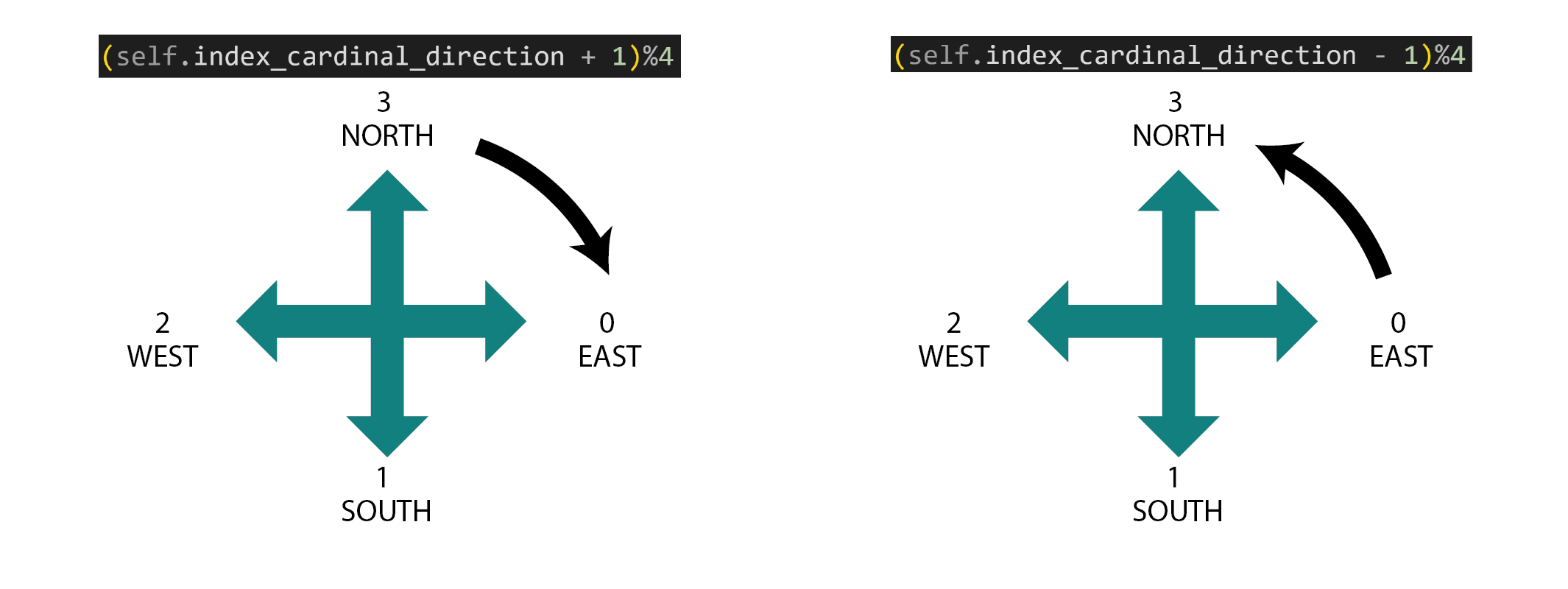
To understand how this encoding works, let's think of an example. When our agent is moving EAST, the index of its current cardinal direction is 0. Let's also assume the agent's action is to go RIGHT or [0,0,1]. Then, we're left with the operation:
(0 + 1)%4 = 1 the resulting direction is SOUTH
(3 + 1)%4 = 0 the resulting direction is EAST
We have:
        def play_step(self,action):
            if action == [1,0,0]:
                self.index_cardinal_direction = (self.index_cardinal_direction - 1)%4
                self.turn(-90)
            elif action == [0,0,1]:
                self.index_cardinal_direction = (self.index_cardinal_direction + 1)%4
                self.turn(90)
Interaction agent - walls
let's create a new method inside the Agent class, called is_game_over():
        def is_game_over(self):
            wall_east = int((self.x + self.image.get_width()//2) >= SCREEN[0])
            wall_south = int((self.y + self.image.get_height()//2) >= SCREEN[1])
            wall_west = int((self.x - self.image.get_width()//2) <= 0)
            wall_north = int((self.y - self.image.get_height()//2) <= 0)
            touching_edges = [wall_east ,wall_south ,wall_west ,wall_north ]
            if sum(touching_edges) > 0:
                self.isDead = True
The method asks if the agent is touching any of the four walls, and declares the agent "dead" if that's the case. Notice the use of int() to transform a boolean (True or False variable) into an integer, so we can add numbers together and use 0 as a flag that means "everything is OK".
Likewise, we need to remember to call this function in play_step():
        def play_step(self,action):
            if action == [1,0,0]:
                self.index_cardinal_direction = (self.index_cardinal_direction - 1)%4
                self.turn(-90)
            elif action == [0,0,1]:
                self.index_cardinal_direction = (self.index_cardinal_direction + 1)%4
                self.turn(90)
            # interaction agent walls
            self.is_game_over()
            # interaction agent food
            reward = 0
            self.isDead = False
            score = 0
            return reward, self.isDead, score
Make the agent move
To make our agent move, we simply translate the current direction of the agent to a change in position on the x or y axis. Let's begin by editing a pre-existing method update_position() inside the Agent class:
        def update_position(self):
            # EAST
            if self.index_cardinal_direction == 0:
                self.x += 10
            # SOUTH
            if self.index_cardinal_direction == 1:
                self.y += 10
            # WEST
            if self.index_cardinal_direction == 2:
                self.x -= 10
            # NORTH
            if self.index_cardinal_direction == 3:
                self.y -= 10
        def play_step(self,action):
            if action == [1,0,0]:
                self.index_cardinal_direction = (self.index_cardinal_direction - 1)%4
                self.turn(-90)
            elif action == [0,0,1]:
                self.index_cardinal_direction = (self.index_cardinal_direction + 1)%4
                self.turn(90)
            self.update_position()
            # interaction agent walls
            self.is_game_over()
            # interaction agent food
            reward = 0
            self.isDead = False
            score = 0
            return reward, self.isDead, score
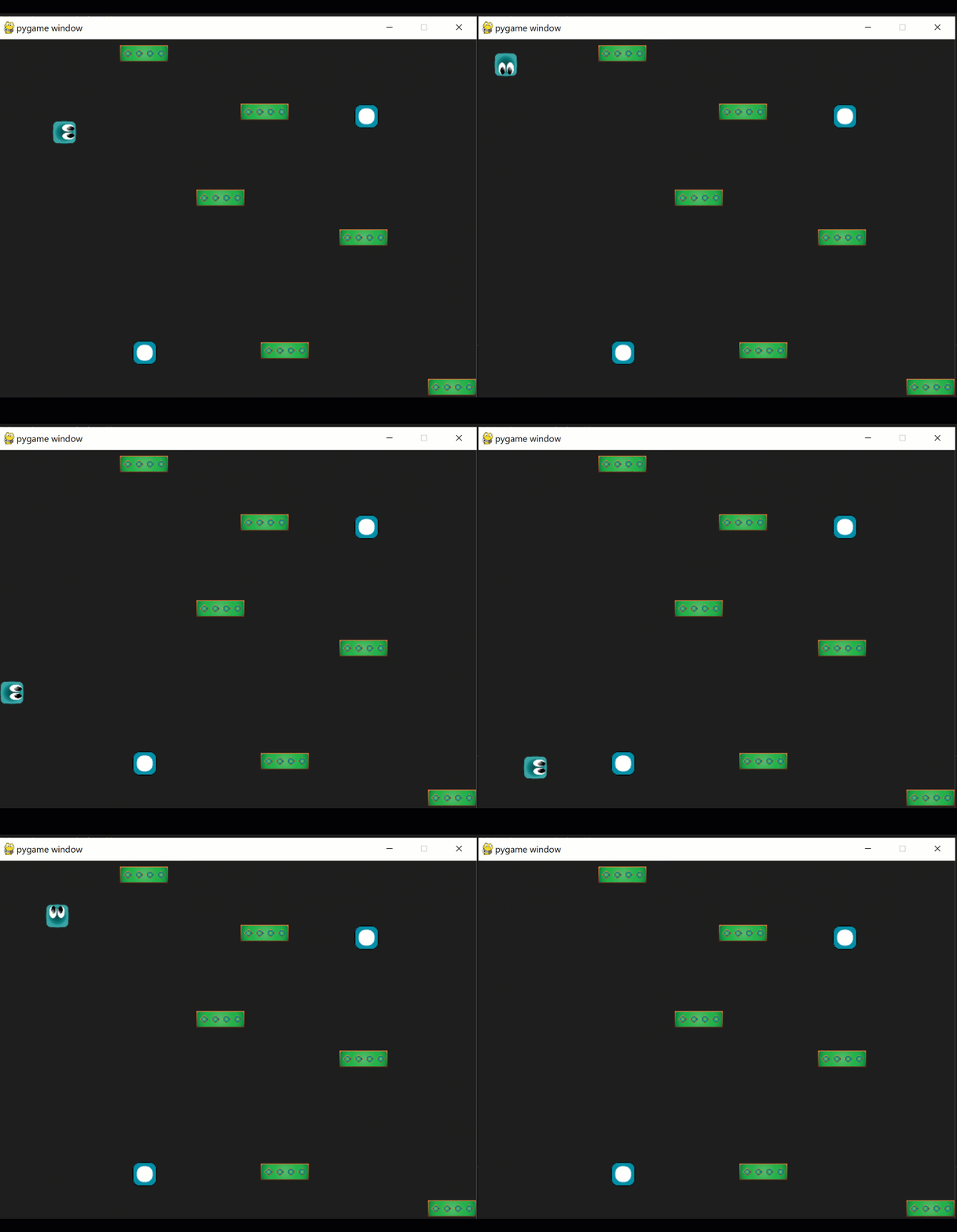
At this point, our agent should begin start moving at random:
Interaction agent - food
Create a new method in the Agent class, called update_collision_food():
        def update_collision_food(self, foods):
            for food in foods:
                if self.rect.colliderect(food):
                    foods.remove(food)
                    return 10
            return 0
        def play_step(self,action, foods):
            if action == [1,0,0]:
                self.index_cardinal_direction = (self.index_cardinal_direction - 1)%4
                self.turn(-90)
            elif action == [0,0,1]:
                self.index_cardinal_direction = (self.index_cardinal_direction + 1)%4
                self.turn(90)
            self.update_position()
            # interaction agent walls
            self.is_game_over()
            # interaction agent food
            reward = self.update_collision_food(foods)
            reward = 0
            self.isDead = False
            if self.isDead:
                reward -= 10
            score = 0
            return reward, self.isDead, score
Notice:
- The return of our new method represents now the reward up to this point
- The reward gets affected by the agent losing the game
- play_step needs to receive the list of foods from the Game Manager:
        class GameManager():
            ...
            def update(self):
                [pygame.quit() for event in pygame.event.get() if event.type == pygame.QUIT]
                for agent in self.agents:
                    if not agent.isDead:
                        # get numerical interpretation of environment
                        previous_env = agent.get_state()
                        # use model to predict a move
                        new_move = agent.get_action(previous_env)
                        # apply the move
                        reward, done, score = agent.play_step(new_move, self.foods)
                        # get new state from applied move
                        new_env = agent.get_state()
                        # train short memory
                        agent.train_short_memory(previous_env, new_move, reward, new_env, done)
                        # add results to memory
                        agent.remember(previous_env, new_move, reward, new_env, done)
Recap
In this chapter we created a new Pygame project focused on reinforcement learning, optimized for the training of our agents. We created helper functions that allow our agent to interact with the world by receiving an action from the neural network and translating it into movement. We also included collisions against walls (negative reward) and food (positive reward).
Although our agent is beginning to explore its surroundings, it's still not learning, because we haven't encoded our agent's awareness to its surroundings. Our next chapter will focus on this task.